Premier Manufacturer

USB cables usually have a Type-A (host) connector at one end and a Type-B (device) or smaller connector at the other. A USB A-to-A (male-to-male) cable is unusual and not part of the official USB standard. Connecting two host ports directly is not allowed: the USB spec doesn’t support two hosts talking without extra hardware. Plugging two computers with a plain A–to–A cable can cause one machine to feed power into the other’s USB bus, potentially damaging hardware.
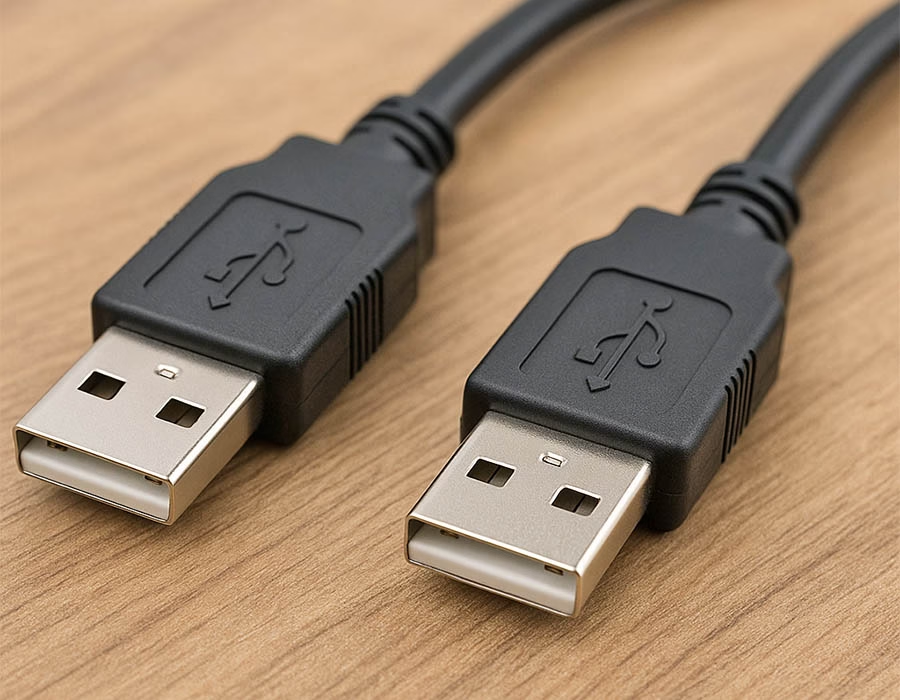
Despite this, specialized “bridge” cables exist for PC-to-PC file transfer. These cables contain active electronics and drivers so that two PCs can exchange data. One user notes that “the most common use of A to A USB cables… is direct computer-to-computer file transfer utilities”. In other words, you can link two computers, but only with a specially designed USB data bridge (often called a transfer or Easy-Transfer cable), not a passive cord.
Industry Use Cases for USB A-to-A Cables
In practice, USB-A-A cables are commonly used in niche applications. For example, some USB KVM switches and manual device selectors use A-to-A leads to share one USB peripheral (like a keyboard or thumb drive) between multiple hosts. A few consumer or industrial devices even have Type-A sockets instead of Type-B. In those cases – specific hard-drive enclosures, audio/video receivers, or instrumentation – you need a male-male cable to connect that Type-A port to a PC or charger. Finally, firmware updates and diagnostics on some equipment may require an A-A cable. Notably, some product notes explicitly mention using a “USB male-to-male” cable to update a device’s firmware (e.g., “Update webcam firmware with USB 3.0 Male to male cable”). These scenarios are specialized so that you won’t see A–A cables in typical consumer USB setups.
Use Case Comparison Table
| Use Case | Compatible Setup | Advantages | Warnings |
|---|---|---|---|
| PC-to-PC Transfer | Two PCs with a USB-A bridge cable (active cable with chip) | Direct high-speed file copy (no network) | Passive A–A cable won’t work; back-feeding power can harm devices. |
| USB Switch / KVM | Manual switch box or KVM using A–A leads | Share one USB device between hosts | Often violates USB spec; low-end switches may malfunction or damage ports. |
| Device w/ USB-A Port | Peripherals (HDD enclosures, controllers, etc.) with USB-A sockets | Can connect via standard host cable | Non-standard config; use only as per device design. |
| Embedded/Industrial | Specialized tools (e.g. CAN analyzers) with Type-A ports | Simplifies connections for industrial gear | Verify pin/power usage; mismatched voltages can be an issue. |
| Firmware Update | Devices (cameras, routers, etc.) with USB-A update ports | Direct firmware flashing/diagnostics | Use the exact cable specified; wrong cable can fail updates or cause damage. |
Custom Cable Solutions
If off-the-shelf cables don’t cut it, a custom manufacturer can help. For example, Romtronic is a Chinese manufacturer specializing in cable assembly with an ISO-certified factory. We can design and manufacture USB male-to-male cables to exact specifications, including any length, shielding, or connector type required, ensuring reliable custom USB cables for industrial B2B applications. By partnering with a specialized OEM like Romtronic, companies can manufacture A-A cables to the proper standards and use cases, avoiding the pitfalls of generic or non-compliant cables.
.avif)
Sam Wu is the Marketing Manager at Romtronic, holding a degree in Mechatronics. With 12 years of experience in sales within the electronic wiring harness industry, he manages marketing efforts across Europe. An expert in cable assembly, wiring harnesses, and advanced connectivity solutions, Sam simplifies complex technologies, offering clear, actionable advice to help you confidently navigate your electrical projects.