Ethernet cables are essential to the modern wired network. This backbone drives virtually all of our static digital communication today. Whether you are setting up a home network or are the engineer responsible for a corporation-wide network, you must know the types of Ethernet cables, their uses, and their specifications.
Understanding Ethernet: The Role of Connectivity in the Internet Age
Ethernet uses carrier-sense multiple access with collision detection to control medium access and enable efficient transmission over shared media such as a bus. It differs from Wi-Fi in that there are no physical collisions (caused by multiple devices sending data at the same time) to interfere; with Ethernet, everything works reliably. And unlike Wi-Fi, Ethernet uses physical cables, making it easier to see and inspect.
Types of Ethernet Cables
Not all Ethernet cables are created equal. The cable comes in several categories, each boasting different performance levels.
| Ethernet Cable Types | Transmission Rate | Frequency Bandwidth | Transmission Distance | # of twisted pairs | Shielding |
|---|---|---|---|---|---|
| Cat-5e | 1000Mbps | 100MHz | 100M | 4 | Shielded/Unshielded |
| Cat-6 | 1000Mbps | 250MHz | 100M | 4 | Shielded/Unshielded |
| Category-6a | 10Gbps | 500MHz | 100M | 4 | Shielded/Unshielded |
| Cat-7 | 10Gbps | 600MHz | 100M | 4 | Double Shielded |
| Cat-8 | 40Gbps | 2000MHz | 30M | 4 | Double Shielded |
Popular Categories
- Cat-5e is a better version of Cat-55. It supports up to 1 Gbps and offers improved crosstalk immunity.
- Cat-6: Rated at 1 Gbps over long distances and 10 Gbps over short distances.
- Cat-6a: Offers twice the bandwidth of Cat-6 and can support up to 10 Gbps over 100 meters.
- Cat-7: Supports 10 Gbps speeds and is built with a proprietary design, not a standard.
- Cat-8: Ideal for data centers capable of having 40 Gbps bandwidth, but expensive.
Choosing the Right Ethernet Cable
Most families can get by with Cat-6 cabling, which is high bandwidth and performance. Specialists in this area prefer Cat-7 or Cat-8 cables for higher speeds and greater immunity to interference, which is essential in high-demand environments such as factories.
Key Components of an Ethernet Connection
- Ethernet Protocol: Governs data transmission between network components.
- Ethernet Port: Using RJ-45 connectors is standard.
- Ethernet Network Adapter: Enables computers to connect to local area networks (LANs).
- Ethernet Cable: Connects devices within a network.
Special Types of Ethernet Cables
Solid vs. Stranded
- Solid Cables: Use better performance where the cable is to remain fixed.
- Stranded Cables: More flexible, used in home networks and by people on the move.
Crossover Cables
Used to connect two computers directly, with different wiring at each end. In the final article, the side tag also makes it easier for network technicians to tell one type from another at a glance.
How to Install and Some Considerations
Length and Gauge of the Cable
- Maximum length occurs at 100 meters.
- Larger-gauge (AWG) conductors offer lower resistance and better performance.
Jacket Ratings
- CM/CMG: General purpose.
- CMR: Riser for vertical spaces.
- CMP: Plenum is for spaces above/below floors with HVAC systems.
- CMX: Outdoor for exterior installations.
Shielding
- UTP: Unshielded.
- STP: Shielded.
- SSTP: Screened and shielded.
Power over Ethernet (PoE)
It enables power and data to be transmitted over a single cable, making it ideal for devices such as security cameras and wireless access points.
Conclusion
Ethernet cables are essential for creating reliable, high-speed networks. By understanding the different types and choosing the right one for your needs, you can ensure optimal performance and connectivity for both home and business networks.
Looking for More Information?
If you need further help choosing the right Ethernet cable, Romtronic offers expert advice and a range of Ethernet cable assemblies that meet international standards.
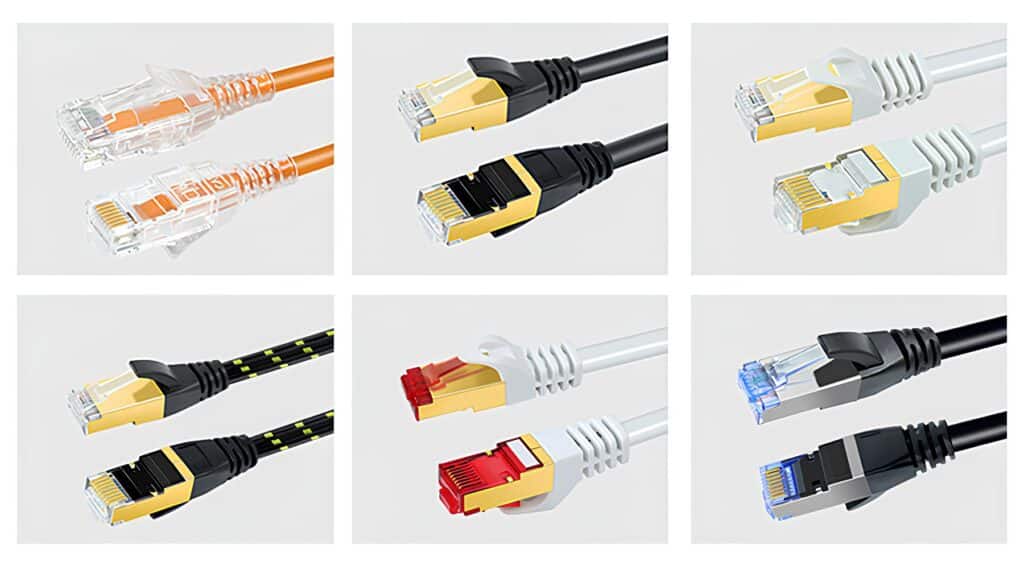
The following Ethernet cable-assembly products are produced by our company and are offered for your reference.

Frequently Asked Questions (FAQ)
A: Not necessarily. Ethernet cables do not increase internet speed beyond what your router, modem, and service plan allow. Higher-category cables primarily improve signal stability and bandwidth.
A: Yes. Ethernet cable categories are backward compatible. However, the performance of each connection will be limited by the lowest-rated cable in that link.
A: Cable quality, shielding, and installation conditions directly affect signal stability. Poor-quality or damaged cables can cause packet loss, speed drops, or intermittent connections.
A: Yes. Ethernet remains essential for applications that require consistent performance, low latency, and high reliability, such as servers, industrial systems, and network infrastructure equipment.
A: Ethernet cables should be replaced if they show physical damage, fail performance requirements, or no longer support upgraded network speeds or PoE applications.

Apple Liu is Romtronic’s Marketing Manager, focusing on business growth across the Asian market. With a background in International English and eight years of sales experience in the electronic cable and harness industry, she brings both in-depth industry knowledge and a global outlook to her role.
In addition to leading market strategy, Apple Liu also oversees content development and editorial work—crafting clear, engaging messaging that reflects Romtronic’s values and technical strengths. She is passionate about digital engineering and is committed to strengthening Romtronic’s brand presence and innovation in a competitive global landscape.