Premier Manufacturer

If you’ve ever tried to connect an ancient FireWire camcorder or audio interface to a current USB port, you probably looked for a “FireWire to USB adaptor.” And then, disappointment: it does not exist. Not the real kind, anyhow. Despite years of online rumors and cheap “conversion cords” that don’t function, there’s one simple reason why FireWire to USB will never happen.
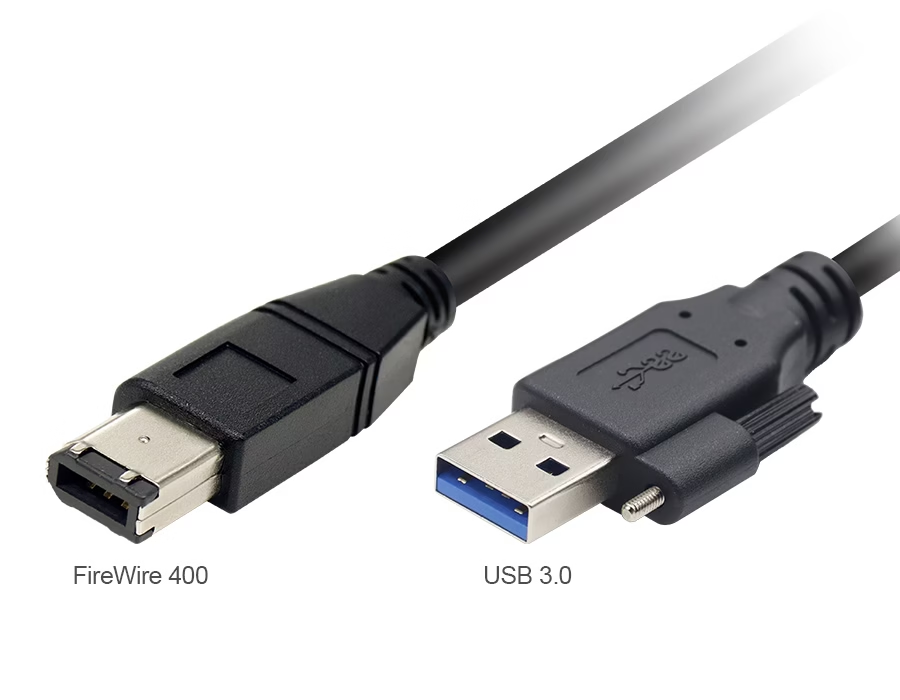
FireWire vs. USB: Built on Different Foundations
Hotline devices can interact directly with each other and access system memory through direct memory access (DMA) technology. However, USB devices must always wait for the host computer to process data transfers. Essentially, they “speak different languages.”
It’s Not Just About Connectors—It’s About Architecture
Even if you physically connected FireWire and USB wires, the gadgets would still not communicate. Their wiring, signaling, and voltages are not compatible.
FireWire vs USB Technical Comparison:
| Specification | FireWire (IEEE 1394) | USB (2.0 / 3.0) |
|---|---|---|
| Data Model | Peer-to-peer | Host-to-device |
| Max Speed | 400–800 Mbps | 480 Mbps–5 Gbps |
| Power Delivery | 8–40V, up to 45W | 5V, up to 100W (USB-PD) |
| Protocol Layer | Isochronous + Asynchronous | Polling-based |
| Typical Use | Cameras, Audio, Storage | General peripherals |
Why Cheap “FireWire to USB Cables” Don’t Work
Many inexpensive cables available promise to convert FireWire to USB. These are passive connections; therefore, no data conversion occurs. Real adapters require active controller chips, which are not available for this coupling. USB does not natively handle FireWire’s isochronous data streaming.
The Real Solutions for Legacy FireWire Devices
Practical solutions to connect FireWire devices today:
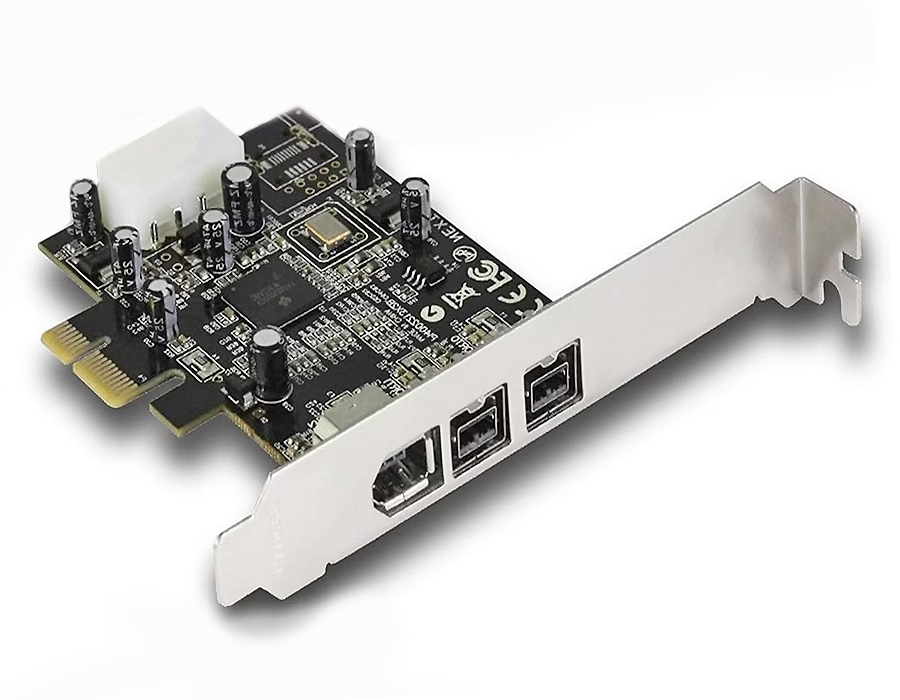
- PCIe FireWire extension card adds native FireWire ports to PCs.
- Thunderbolt-to-FireWire adapters are compatible with select laptops and Macs.
- Upgrade your equipment – many current cameras and interfaces now support USB 3.0 or USB-C.
- Custom cable assemblies – Companies such as Romtronic Offer Custom Cable Assemblies That can develop hybrid solutions.
Consider industrial USB cable assemblies for modern, reliable connections.
The Engineering Reason It Will Never Happen
FireWire’s peer-to-peer, self-managed design is incompatible with USB’s host-managed paradigm. Bridging them would necessitate changing software and developing costly controller chips. That is why a simple cable or adaptor will never make them work.
Future-Proofing: Moving Beyond FireWire
For studios and production sets, moving to USB-C or Thunderbolt is the safest option. These standards enable the transmission of high-speed data, video, and power over a single cable, facilitating seamless integration and efficient operation. Shielded and high-flex USB cables are recommended for industrial applications due to their enhanced durability and resistance to electromagnetic interference.
FAQ: FireWire to USB Confusion Explained
A: No, your computer will not identify the device unless the adapter contains an active conversion chip (which does not exist for FireWire).
A: Only those that include a real converter chip, such as dedicated video capture boxes or Thunderbolt-to-FireWire converters. Passive cables will not function.
A: Thunderbolt ports can connect to FireWire with an active adaptor. Standard USB-C ports cannot.
A: Use a computer with native FireWire, a PCIe card, or a Thunderbolt-to-FireWire converter, along with the relevant software.
A: Unlikely. Modern interfaces, such as Thunderbolt and USB4, offer faster speeds and greater compatibility, absorbing FireWire’s position.
Conclusion
Firewire interfaces differ fundamentally from USB interfaces. Standard cables are incompatible. The only solution is to use compatible hardware, controller chips, or upgrade the existing interface. Romtronic provides specialized custom cable assemblies for professional and industrial applications, enabling secure connections between legacy and new equipment.
.avif)
Sam Wu is the Marketing Manager at Romtronic, holding a degree in Mechatronics. With 12 years of experience in sales within the electronic wiring harness industry, he manages marketing efforts across Europe. An expert in cable assembly, wiring harnesses, and advanced connectivity solutions, Sam simplifies complex technologies, offering clear, actionable advice to help you confidently navigate your electrical projects.